
When we need to remotely update the display screen anad send programs,we need to use Xiaohui Cloud Paltform to operate. This article will show the steps to bind the device to the Xiaohui Cloud Platform.
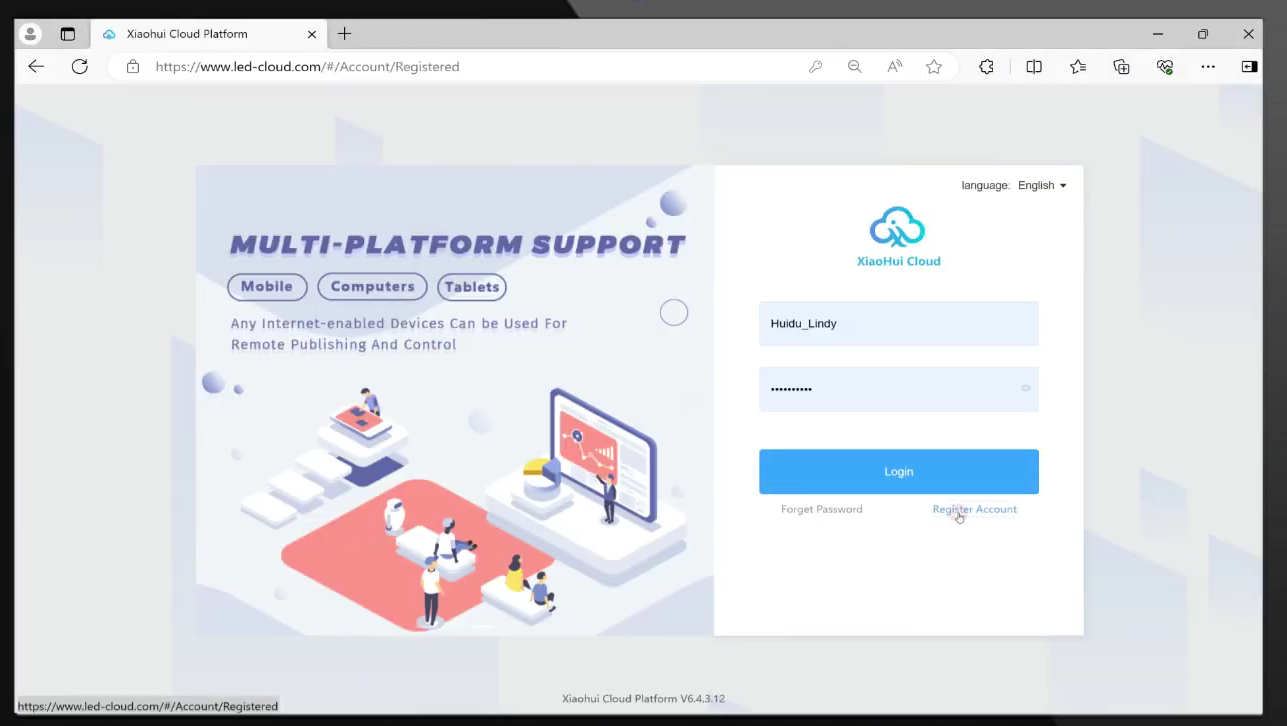
1.Visit the Xiaohui Cloud Platform and login
.
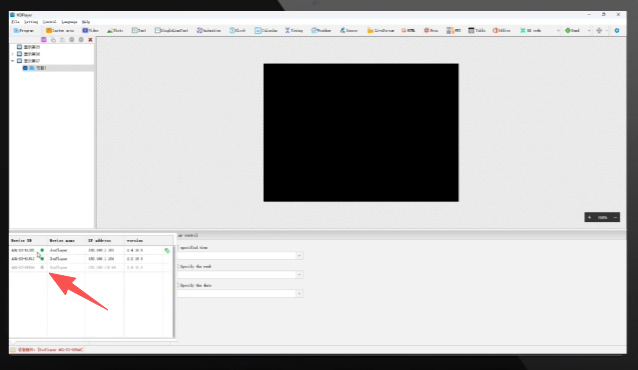
2.Open the HDPlayer software,when the device is directly connected to the computer or LAN-connection,the connected device will be displayed in the lower left corner of the software.

3.Click”Setting”-“Cloud Server”
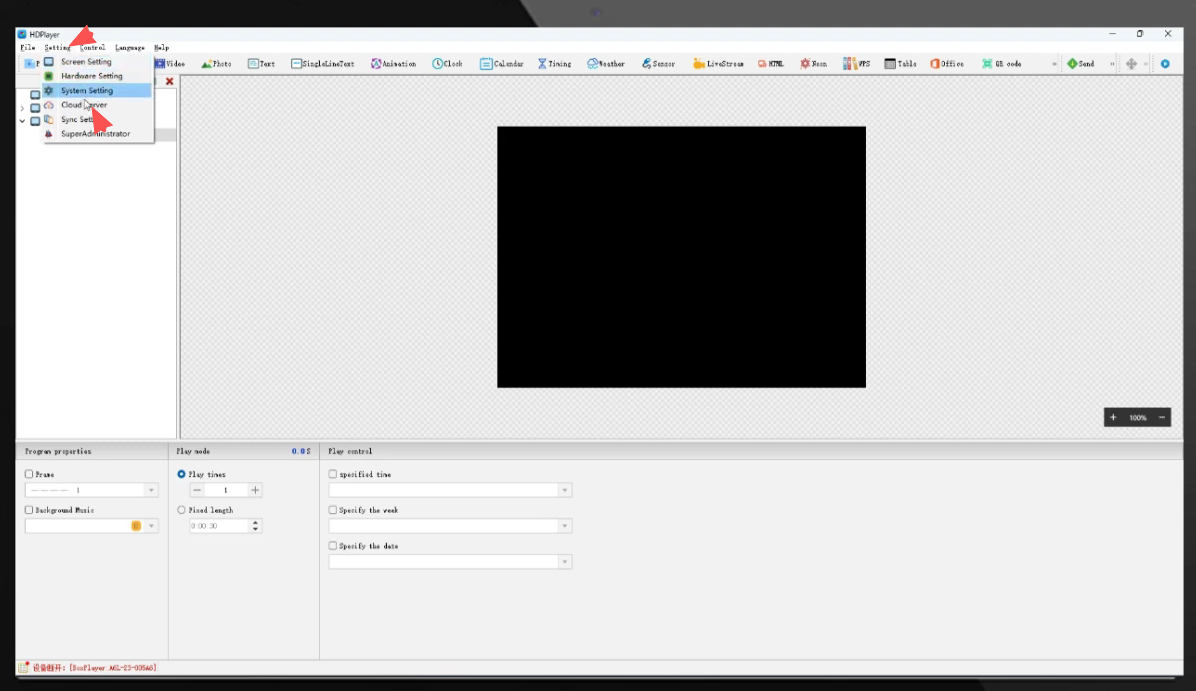
4.The default passwordis”888″ or”168″
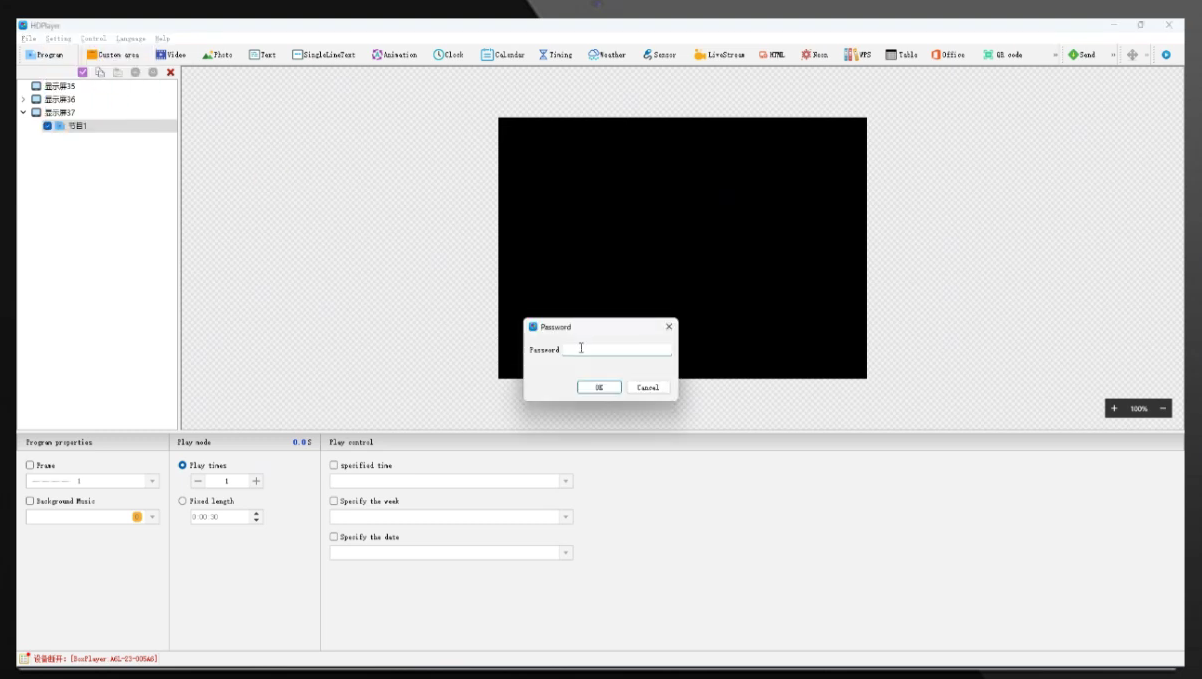
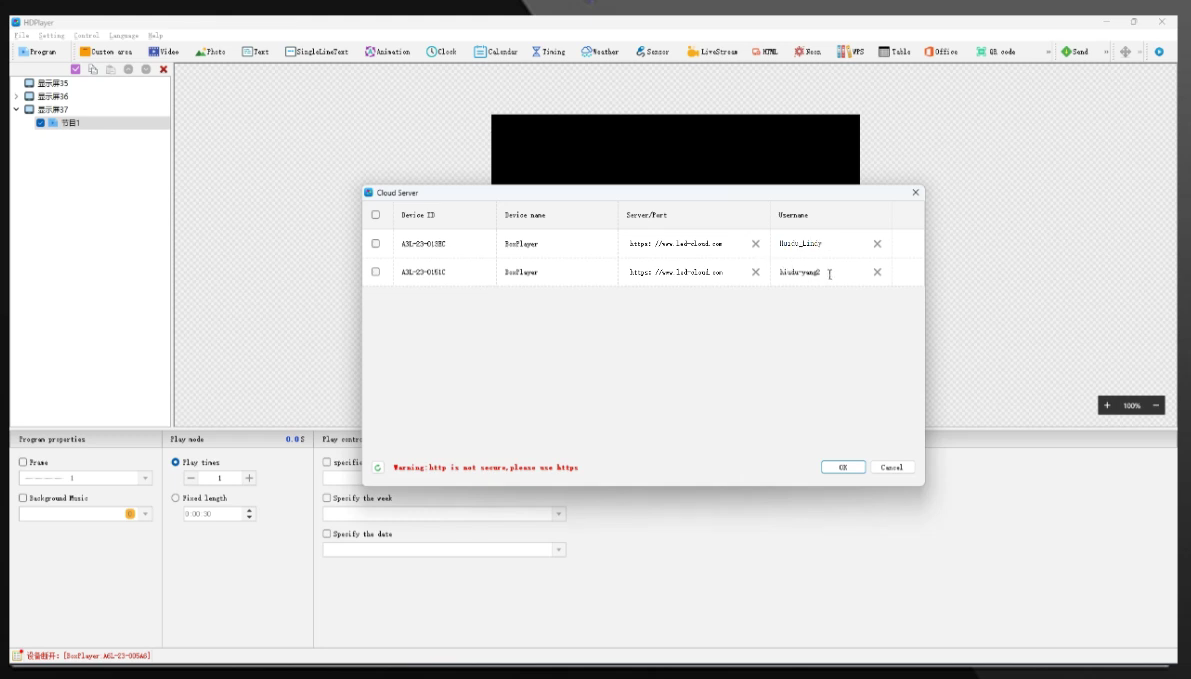
5.Check the server address and enter the username of Xiaohui Cloud Platform.
6.Check the device- and click “OK”to bind the device.
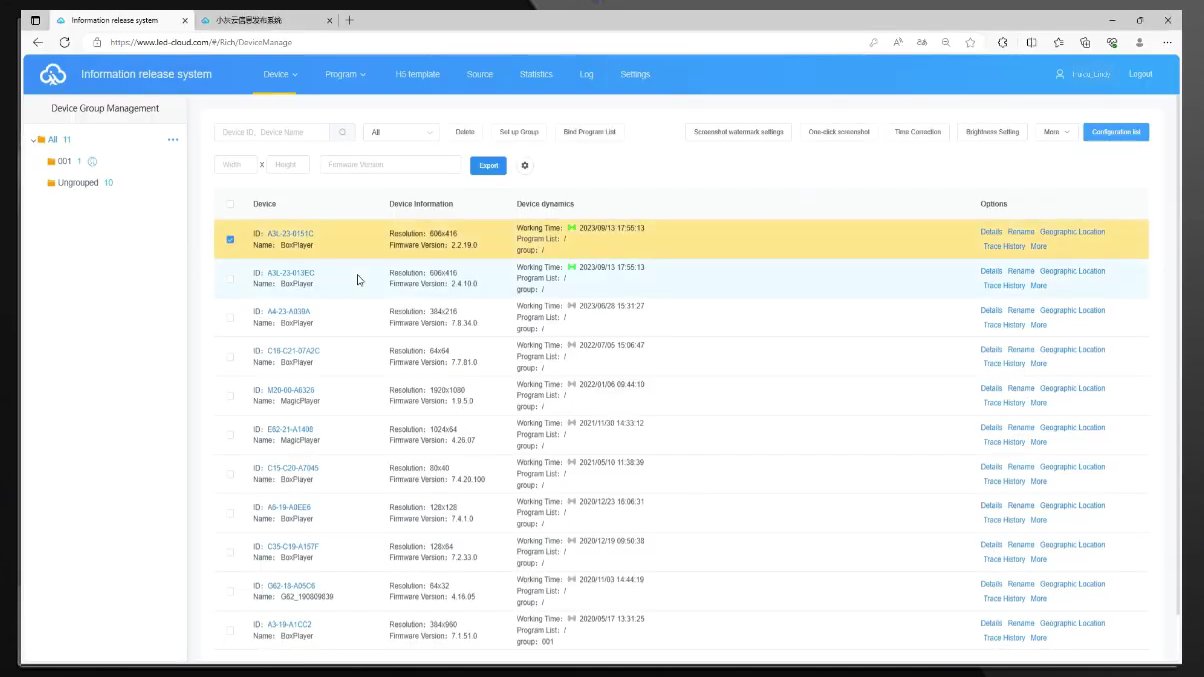
7.Return to Xiaohui Cloud Platform,you can view the bound devices in the device list and update the display screen materials and programs.
 English
  简体中文
简体中文  Português do Brasil
  Italiano
  Español
  Français
  Deutsch
  한국어
한국어  日本語
日本語