

Top Passenger Information LED Display Manufacturer In China
Make Smart Passenger Information Display System
- Real-time display of route information, vehicle location information, and arrival time.
- The cloud platform remotely sends emergency notifications, service interruption information, and scheduling information.
- By adopting advanced LED display technology, the brightness and waterproofing issues of LCD screens in outdoor applications have been resolved.
- It also supports station or stop announcements, triggering the current stop and the next stop via GPS to remind passengers to prepare to disembark.
Why Choose Passenger Information Display System From Top Shine?
TOP SHINE began manufacturing Passenger Information LED Displays in 2016 and developed its own Passenger Information Display System
in 2017. After nine years of R&D and understanding customer needs, TOP SHINE has continuously improved its Passenger Information Display software and hardware, providing a high-performance and stable Passenger Information Display System.
TOP SHINE primarily collaborates with global integrators, and its products are distributed worldwide, including in Dubai, the United States, Singapore, India, Japan, Italy, Mauritius, Indonesia, Thailand, and Taiwan.
TOP SHINE’s Advantages:
1.10000+Square meter workshop. We have two LED display SMT production lines, and all LED display modules are manufactured and assembled in-house. This allows for excellent control over material and production costs.
2. Independent R&D and design capabilities: We have software, electronics, and structural engineers to ensure product stability and cost-effectiveness.
3. Quality assurance: All Passenger Information Display Systems undergo rigorous testing after production and assembly in our factory, including incoming material inspection, process inspection, aging tests, vibration tests, and waterproof tests for outdoor LED Passenger Information Display products.
4. Can support customization.
Applications of Passenger Information Display:
The Passenger Information Display System can be installed wherever there is public transportation, providing travelers with a more convenient and pleasant experience. This includes bus stops, subway stations, waiting halls, airports, bus stops, railway stations, high-speed rail stations, station entrances, platforms, and other public transportation facilities and areas within these stations.
It can display information on all buses that stop at this station, their final destination, and their arrival time.
It can display information on all subway lines that stop at this station, their final destination, and arrival times.
Route map, current station, next station, final stop, To ensure passengers have a clear understanding of their current trip status and location.
It can display the status of all flights at the airport, such as departure time, flight number, and boarding status.
It can display arrival predictions, transfer information, destination changes, temporary stops, delay notices, etc.
It can display train timetables, platform locations, arrival times, train numbers, and train status.
It can display information on all high-speed trains that stop at this station, their final destination, and temperature and speed.
It can display information on all trains stopping at this station, their final destination, and their arrival time.
It can display information on all trains stopping at this station, their final destination, and their arrival time.
Centralized Control
All databases are managed through the control center, which generates an HTML webpage and then sends all the data to all Passenger Information Displays in real time. The LED displays are only responsible for receiving and displaying the data and do not need to perform any processing.
Distributed Control
The pre-prepared layout format is divided into fixed information and change information, such as arrival time, current station information, next station and other information that needs to be changed in real time. Sufficient pixels are reserved according to the font length and display size. Then, the data is sent from the vehicle itself to the backend or control center through the GPS operation trajectory of the vehicle (bus, subway, etc.). The control center then receives and reads the data and sends instructions or data to the Passenger Information Displays.
Principle and component composition
The LED display screen mainly displays route maps, arrival information, next station, terminal station, route number, carriage number, current time, running speed, terminal station changes, temporary stops, and other related information.
All information displayed on the LED display is transmitted via commands and data sent from the station announcement system to the screen, or to the control center, which then relays the commands or data to the passenger information LED display’s controller.
GPS is mainly used to collect and transmit the location and trajectory of vehicles. The arrival time is calculated based on the location and trajectory, or instructions are received within a specified area, such as playing a specific advertisement or notification in a certain area.
All data is ultimately transmitted to the control center, which then issues unified instructions. The control center can also send specific content to all passenger information displays even without data being available.
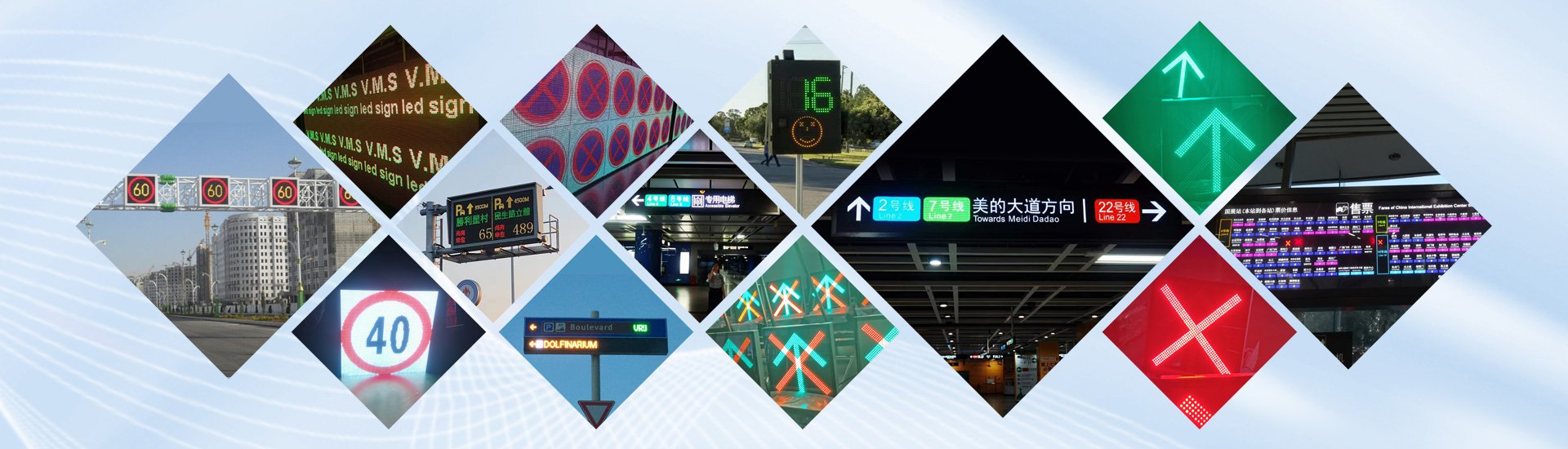
Produto relacionado
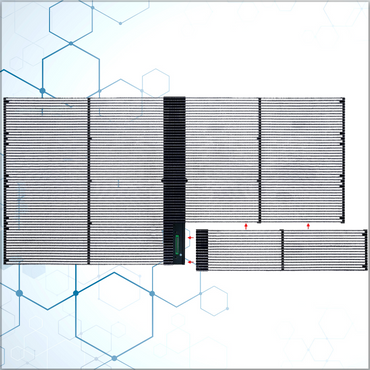
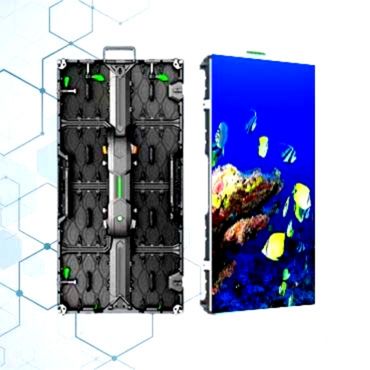
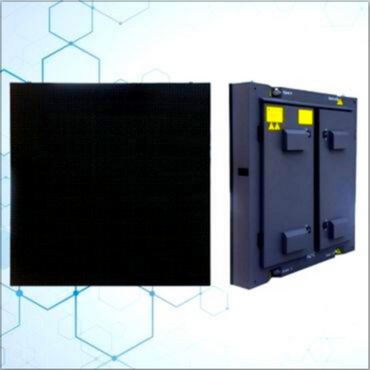


How does Top Shine’s Passenger Information Display System work?
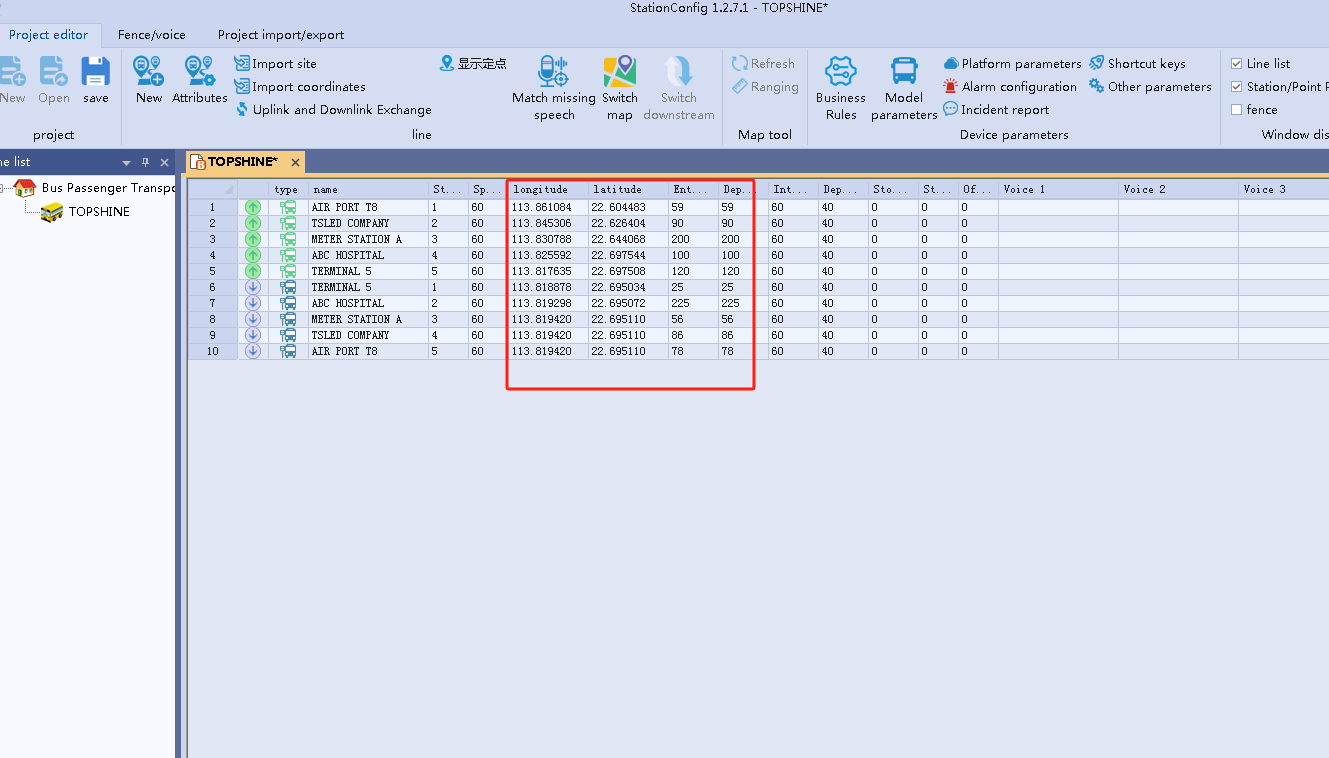
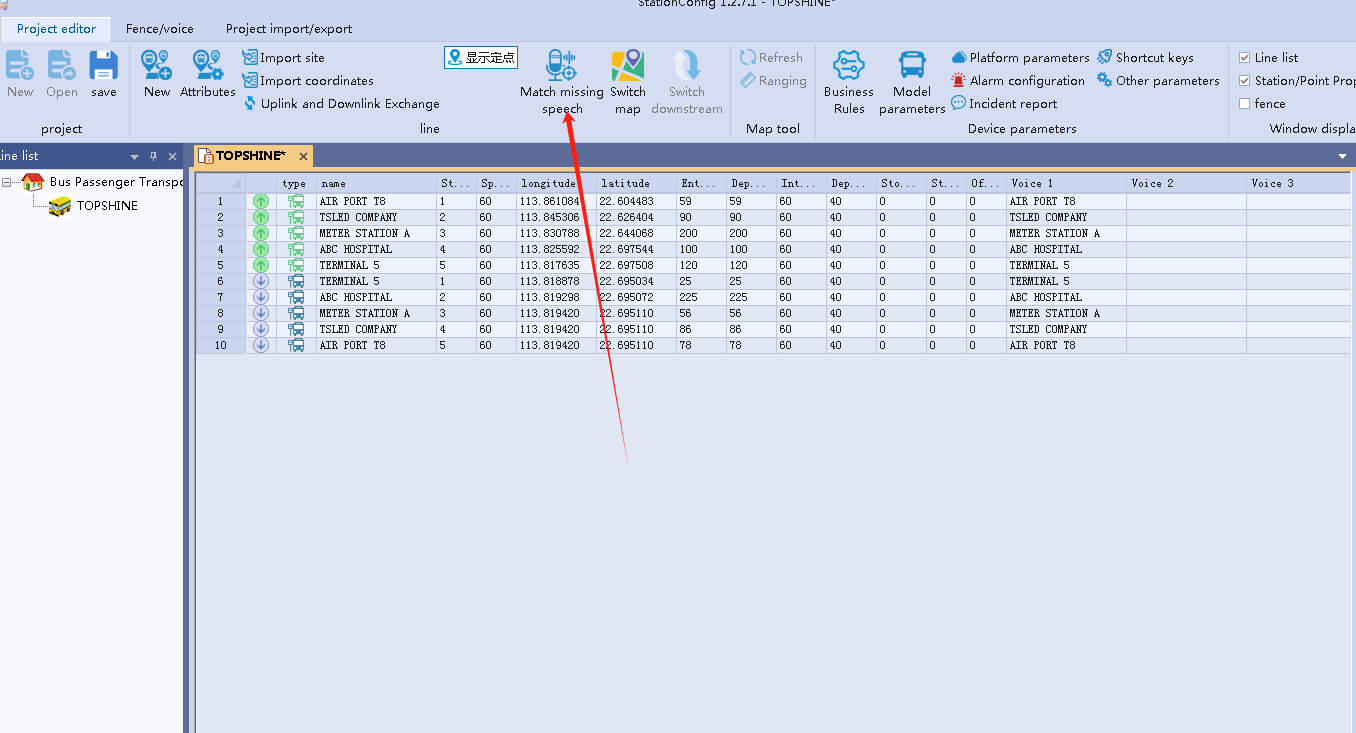
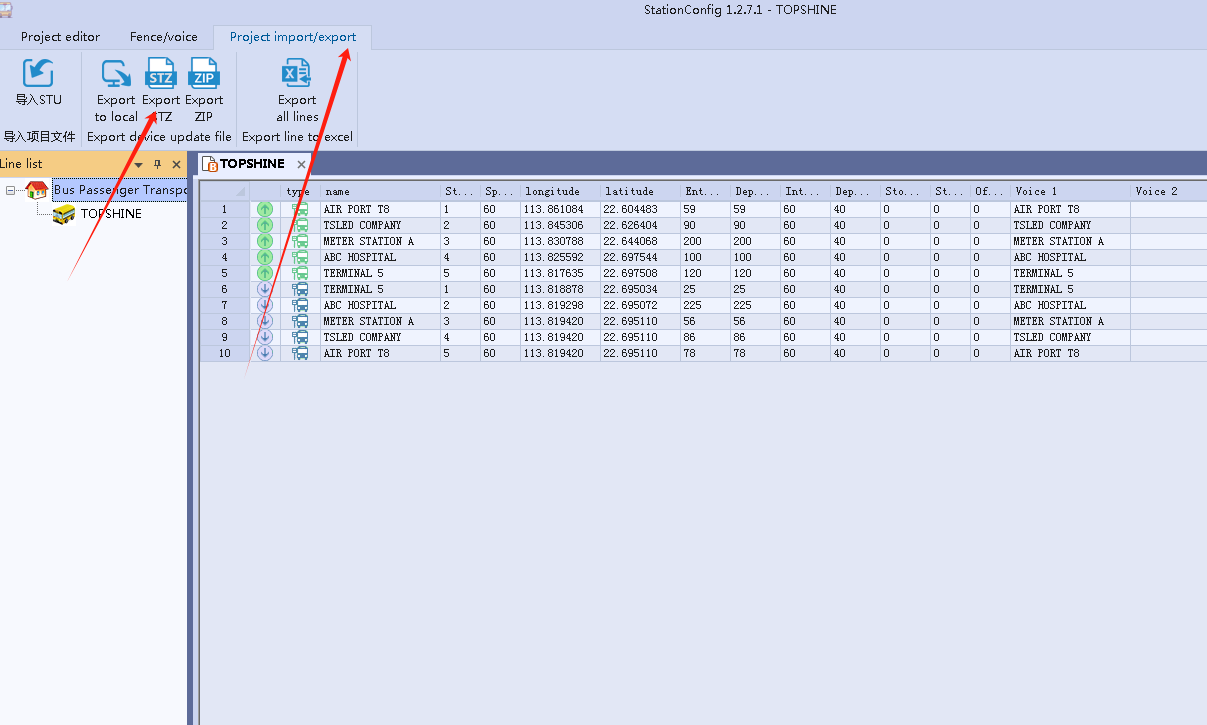
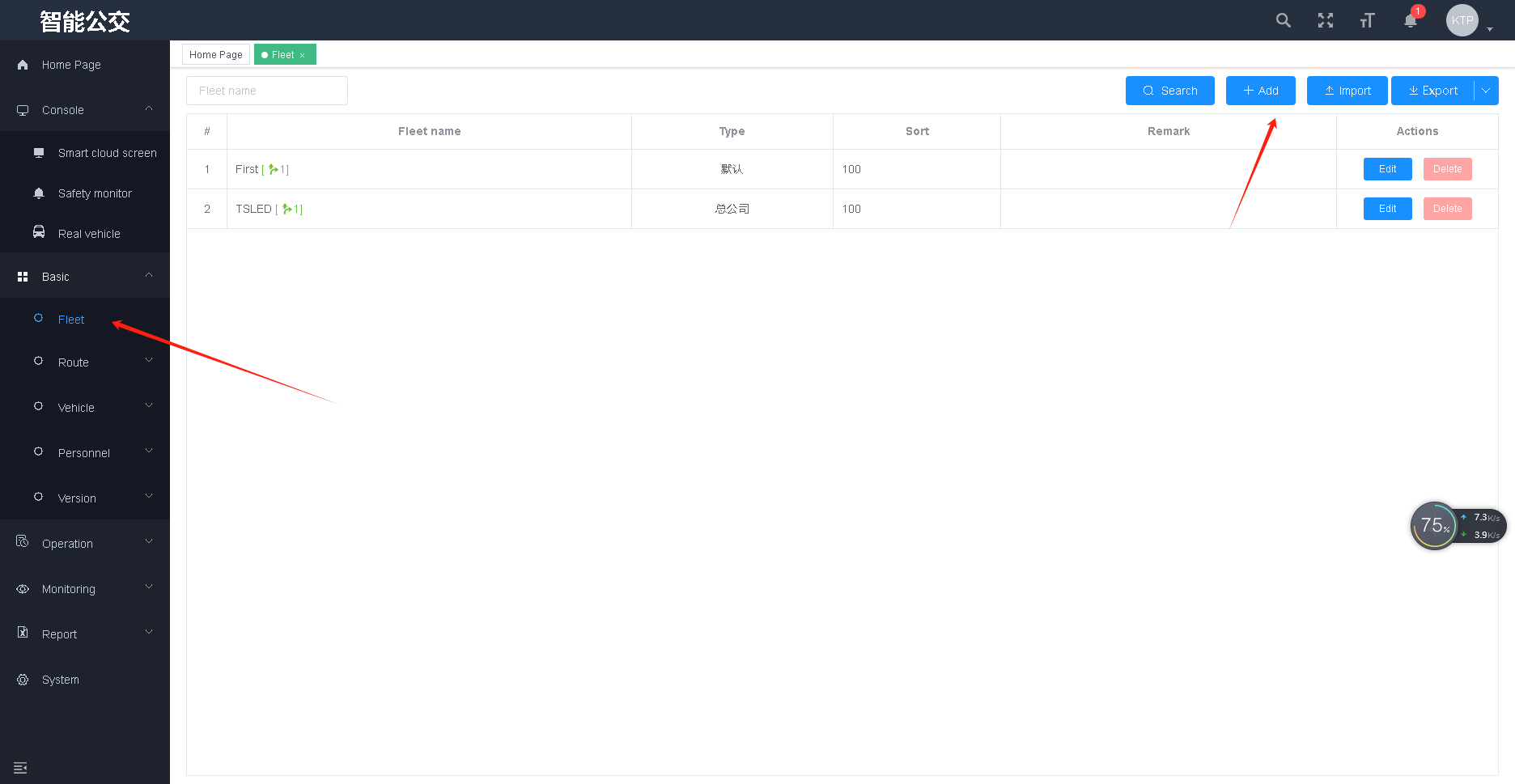
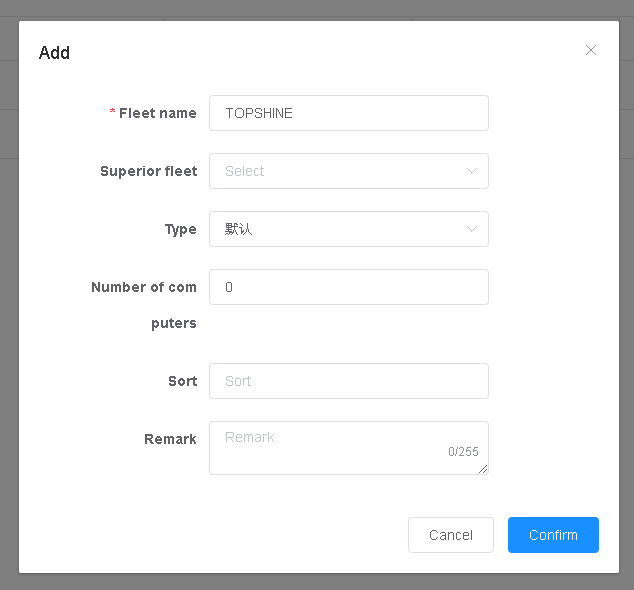
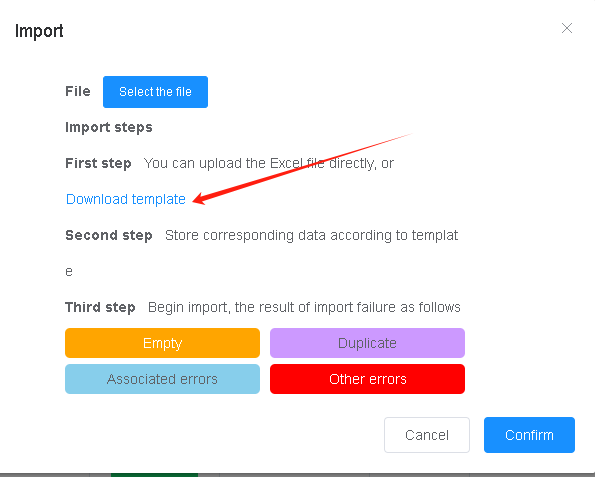
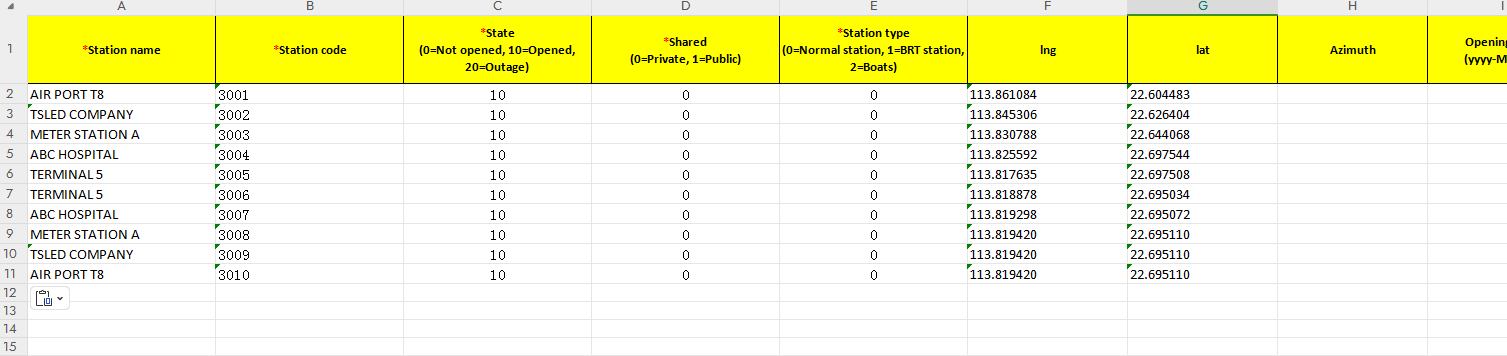
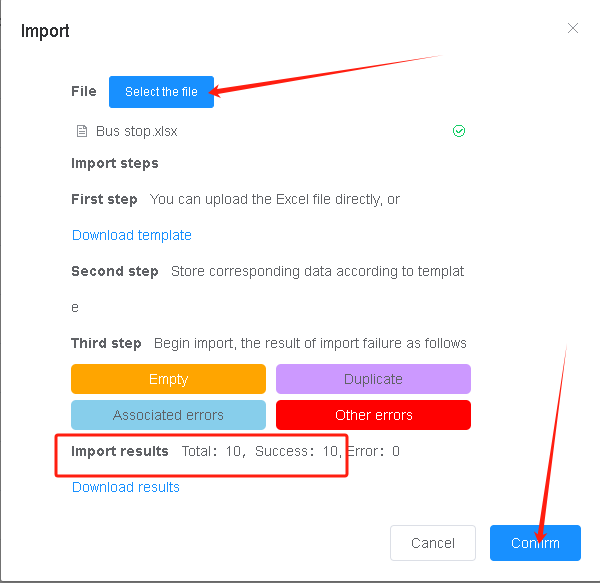
Data is collected via the GPS of the station announcement device, then exported, and the exported data file is imported into our dedicated software for configuration. After completion, it is imported into our station announcement device, and the corresponding data information needs to be filled into our cloud server, or the user’s own server can be used.
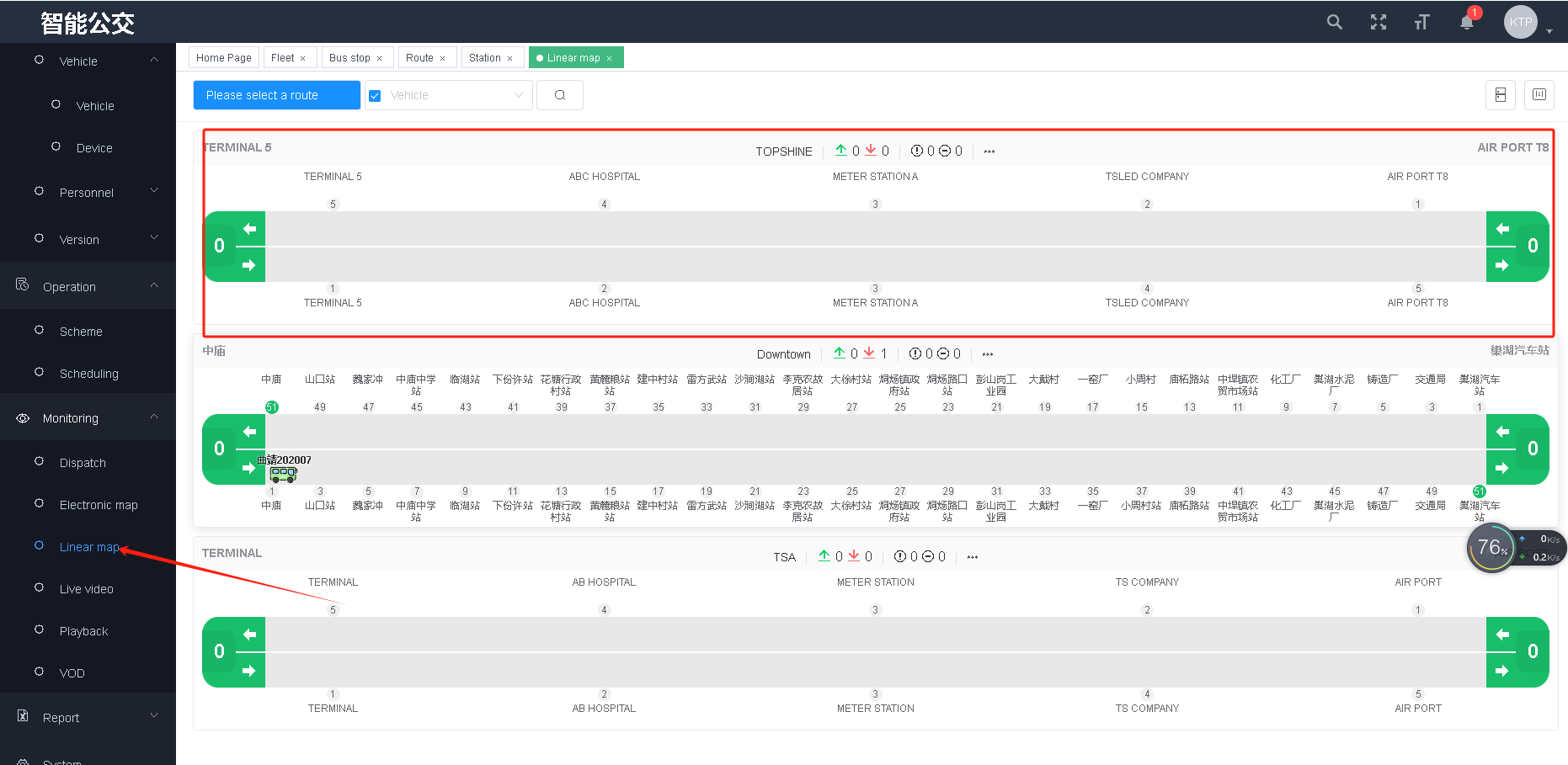
The console is to monitor all vehicles with icons. You can view the detailed data of driving, idling, stationary, offline and other vehicles. It can also monitor the real-time status, alarm, location, speed, data update time, etc. of all monitorable vehicles, such as As shown in the figure.
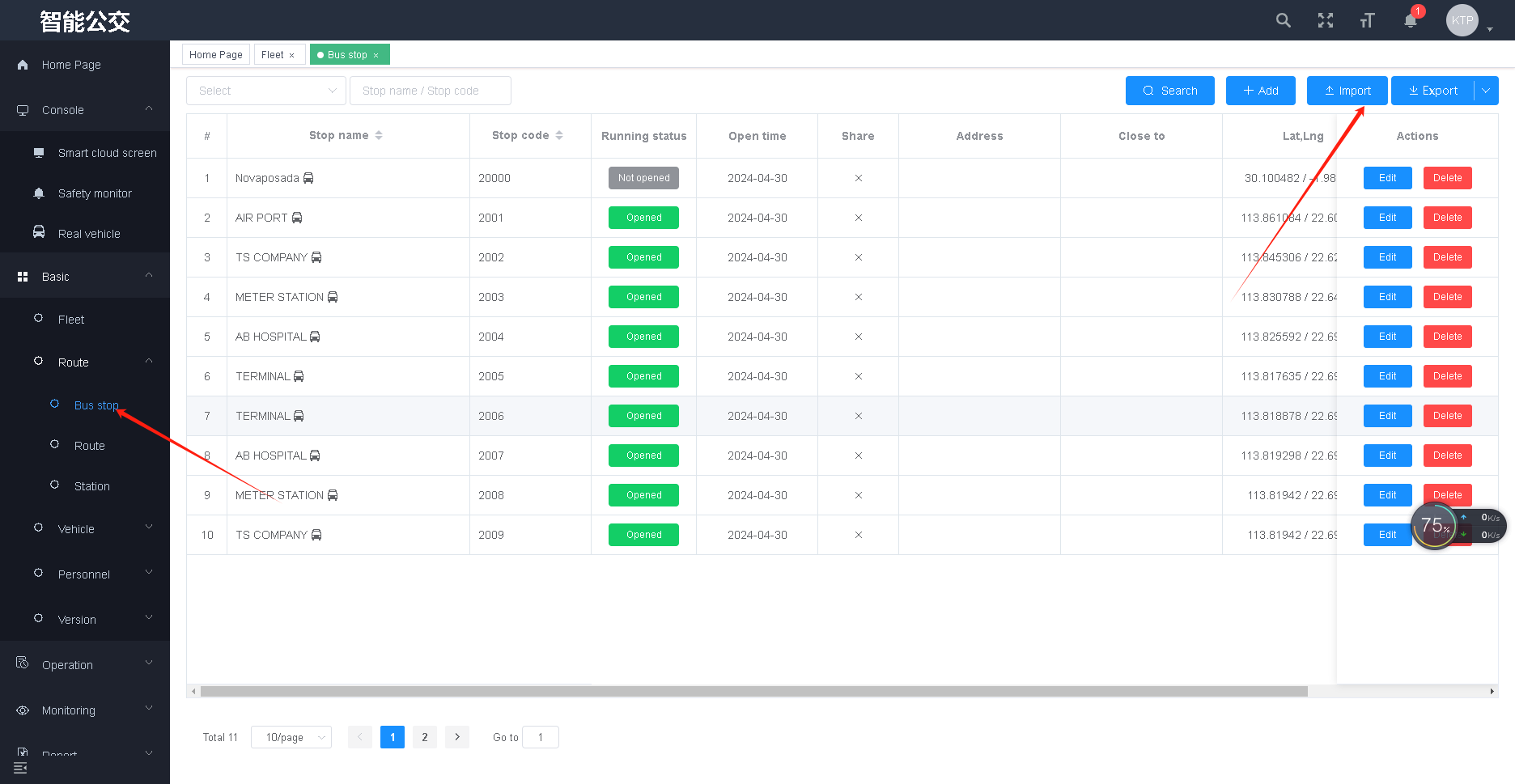
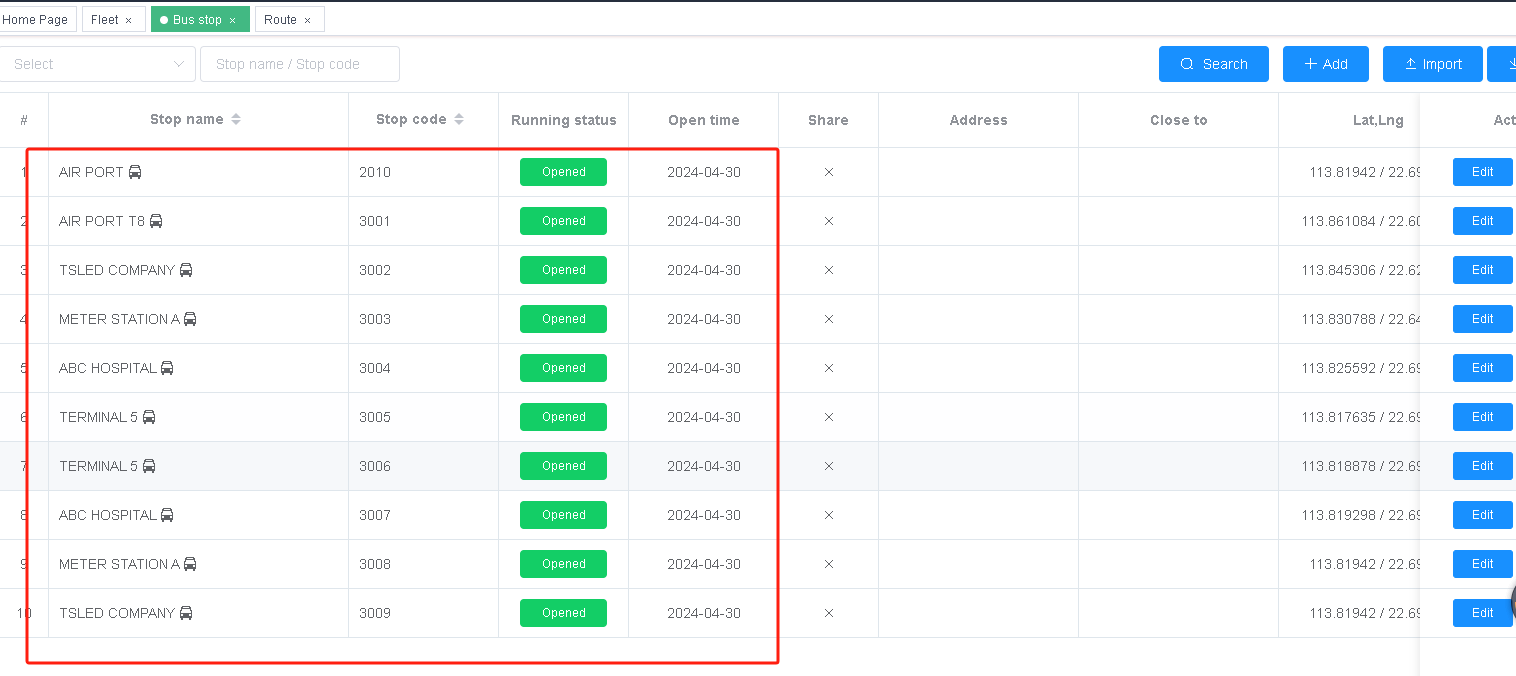
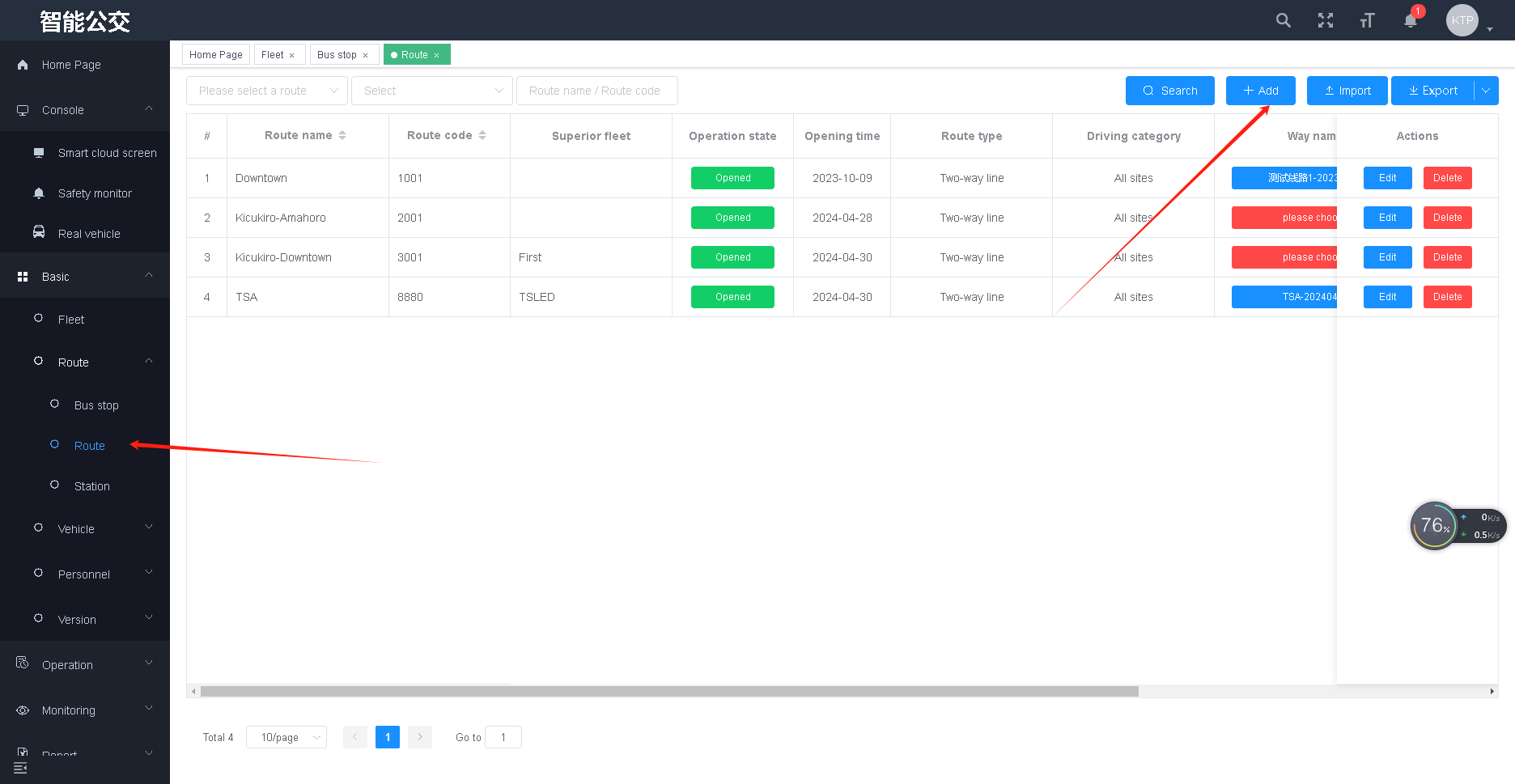
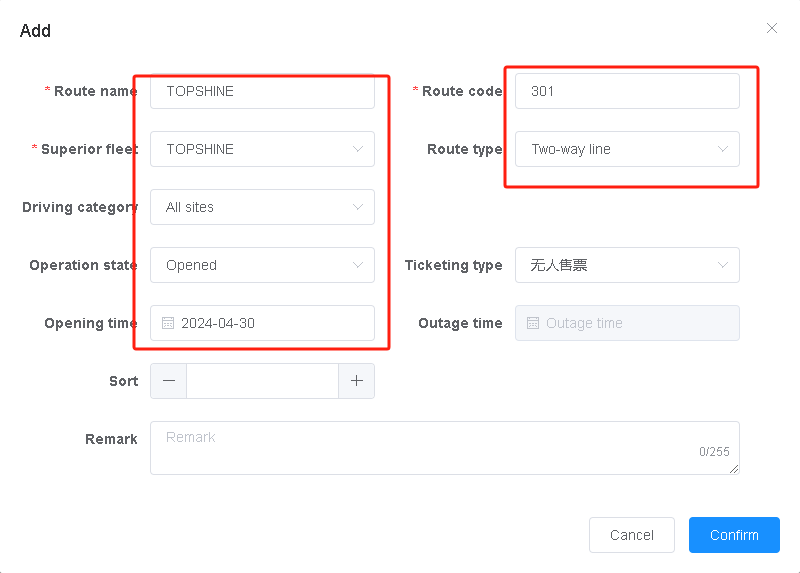
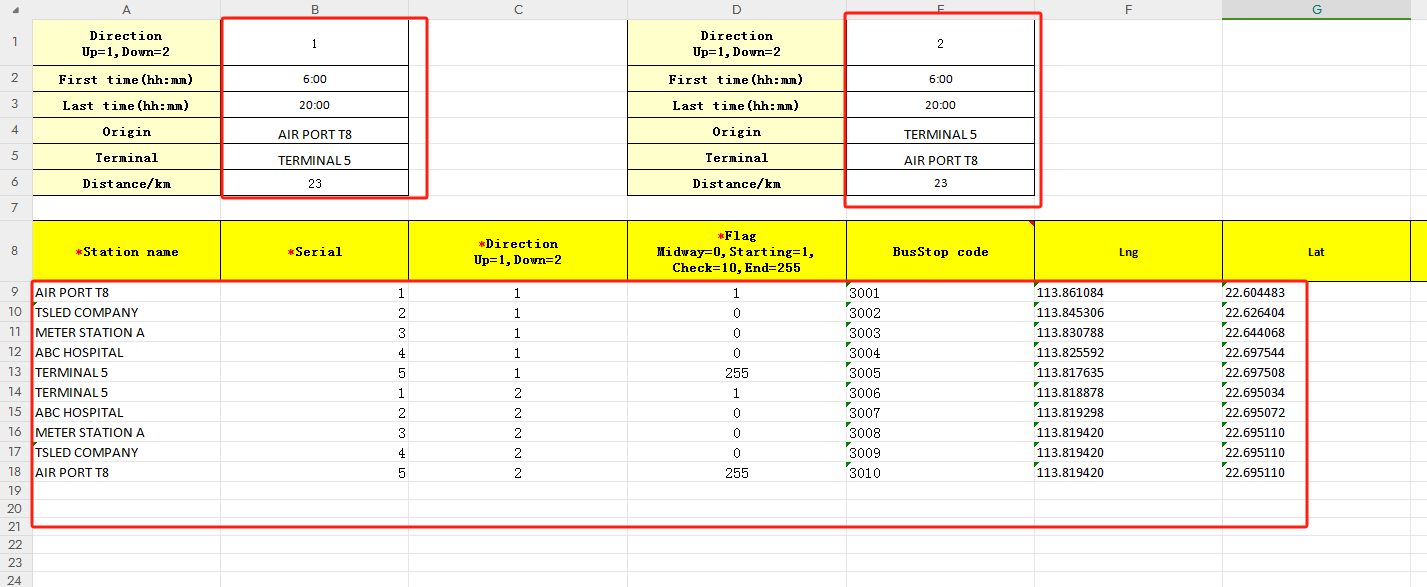
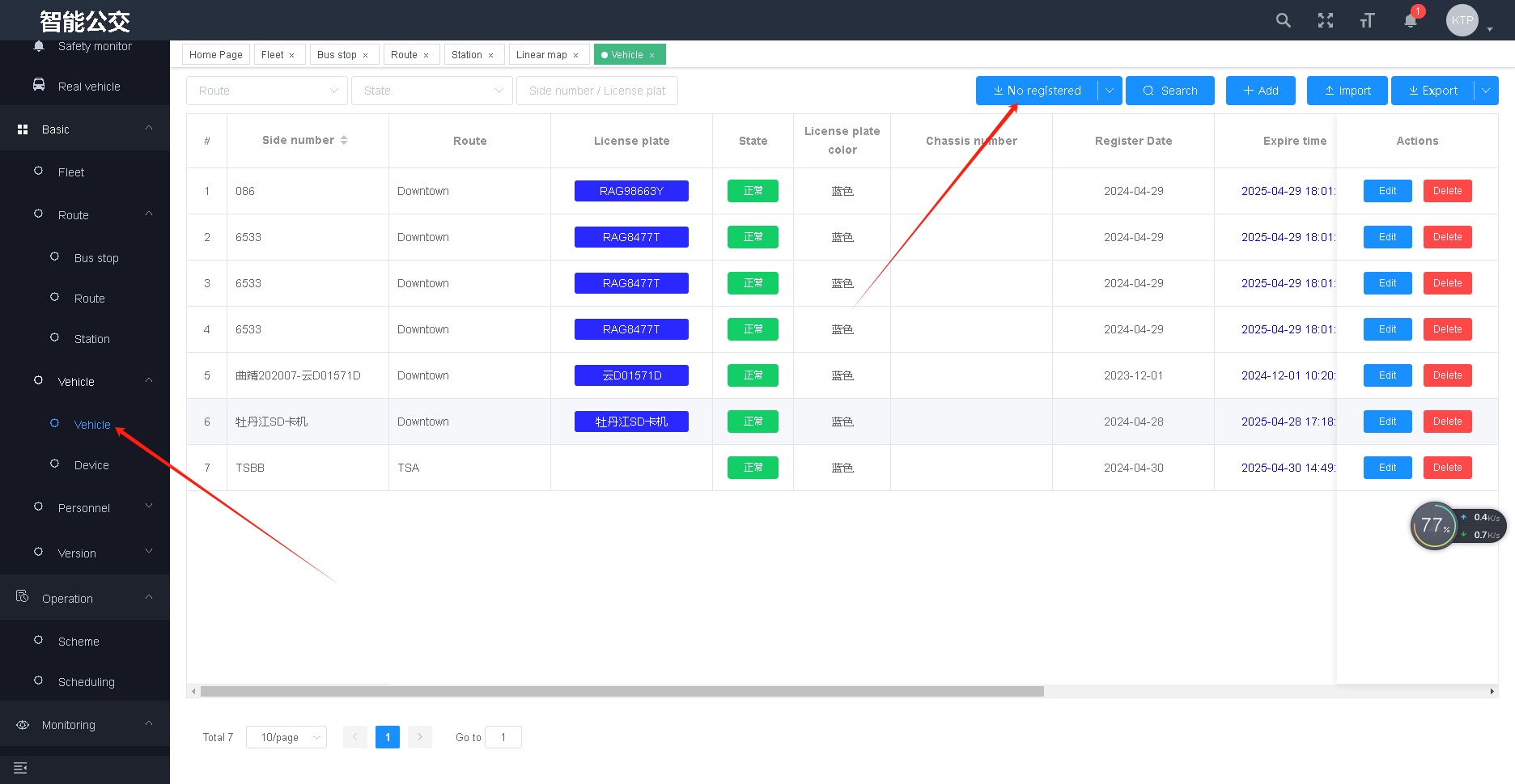
Initially, GPS data is used to collect the latitude and longitude of the station locations. This information is crucial as it determines the accuracy of station announcements and real-time information display. While collecting latitude and longitude data, it’s also necessary to accurately record the vehicle route number and bus stop name, inputting this information using dedicated software. For example personnel information, vehicle information, line files, electronic stop signs, version management, etc

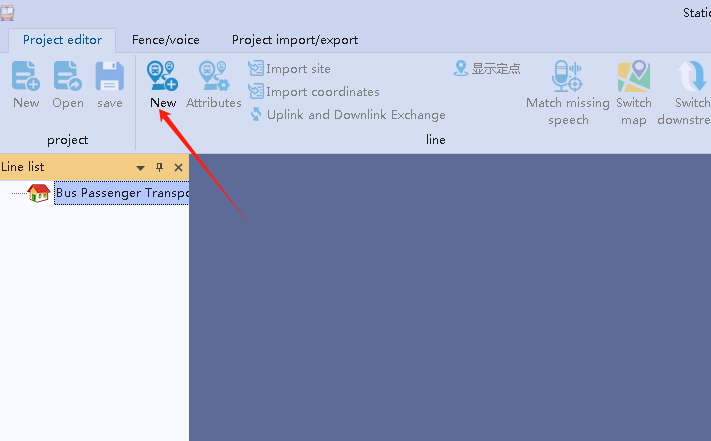
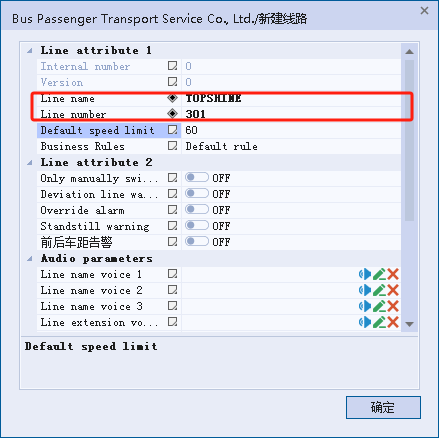
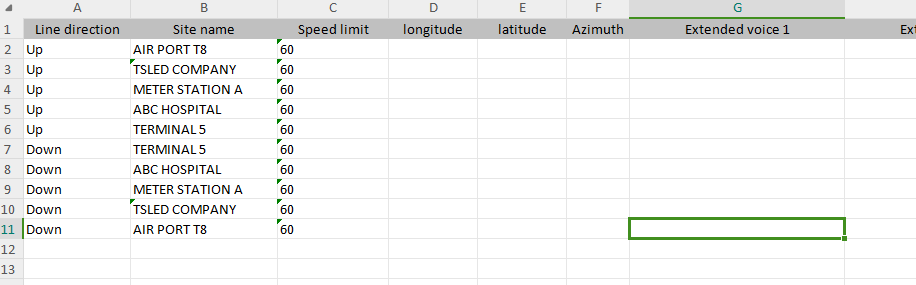
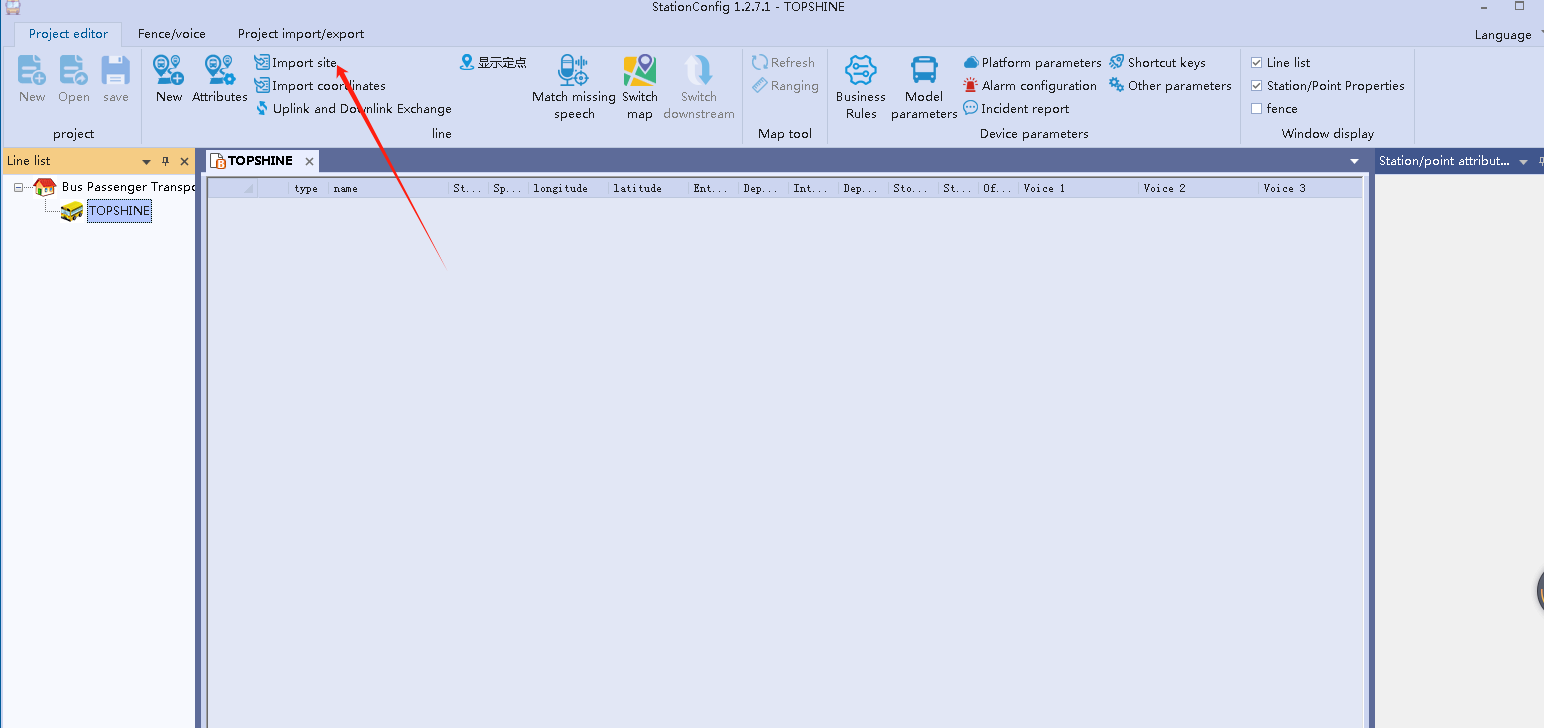
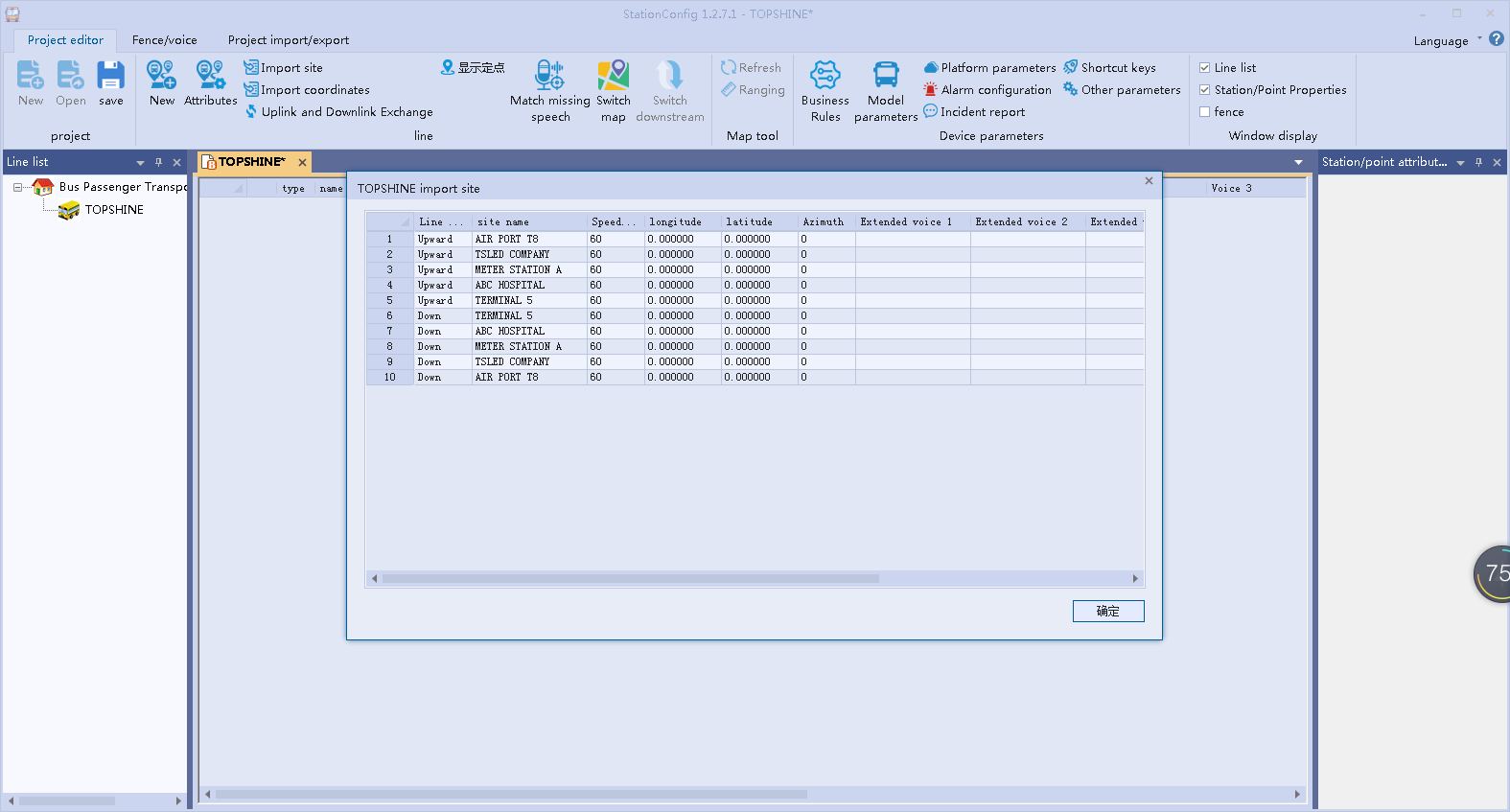
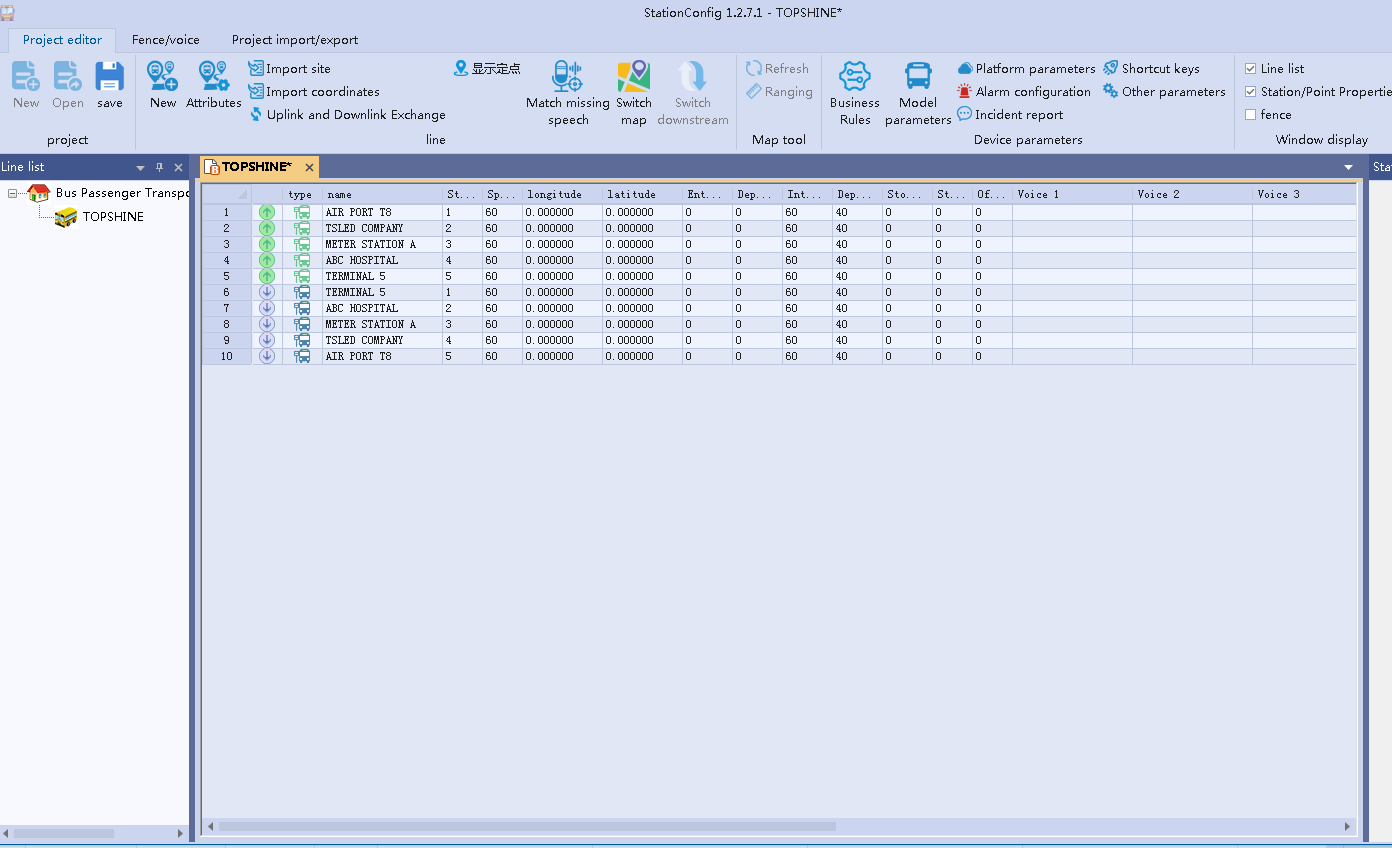
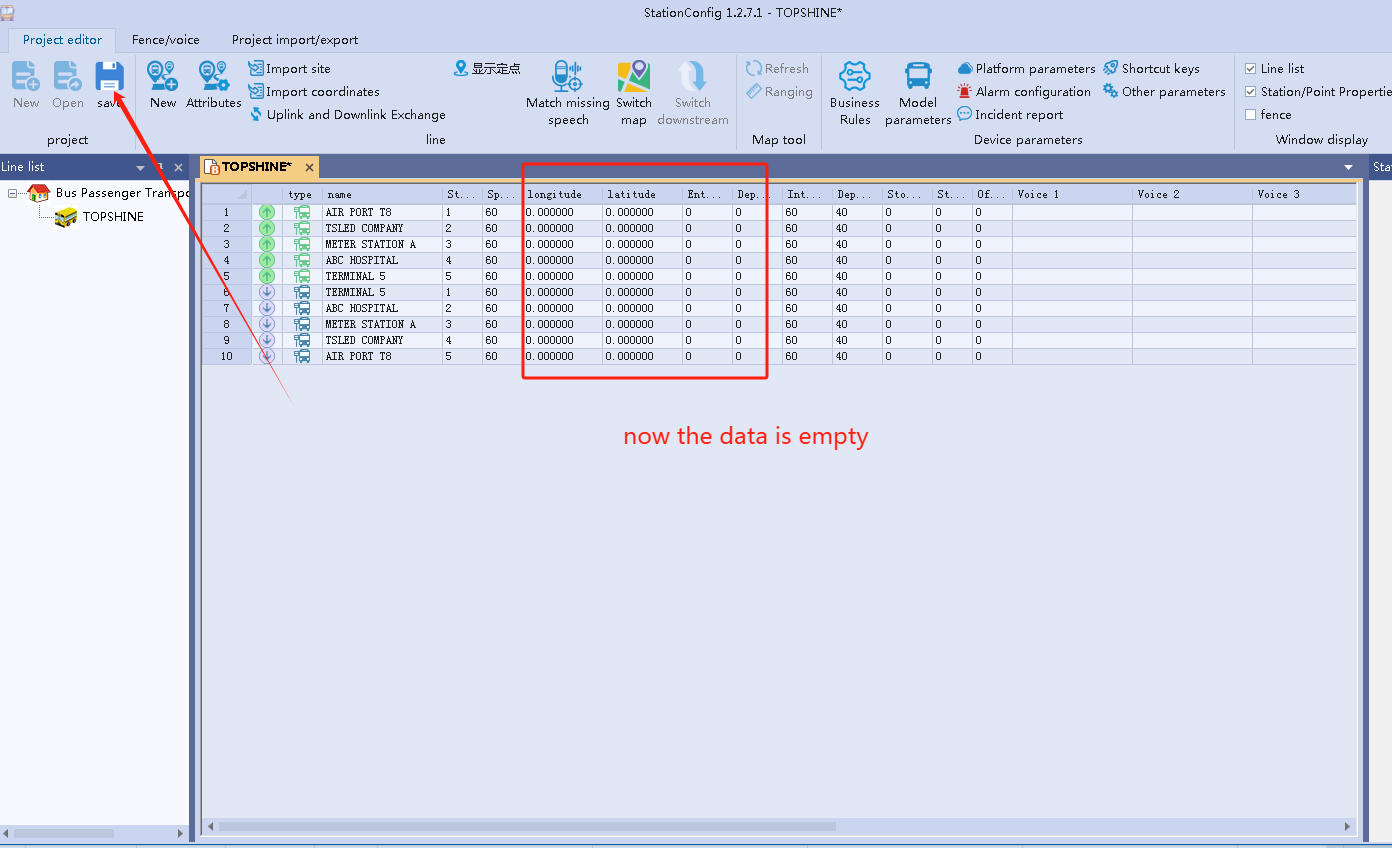
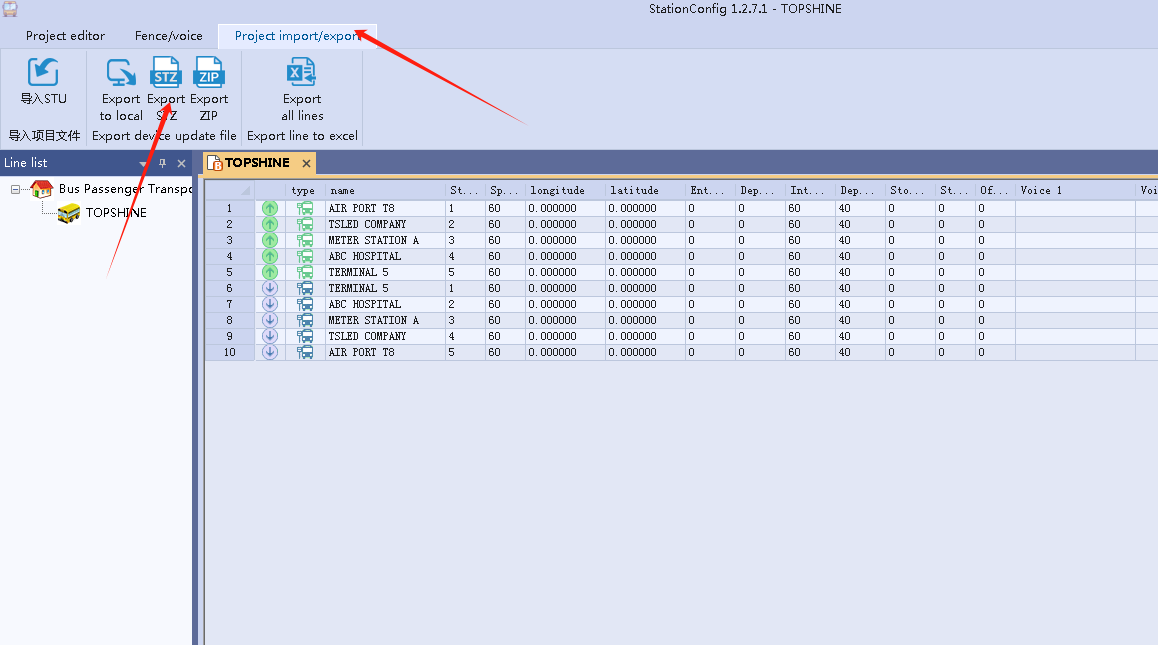
create a new folder named K3, then put the updata to K3 folder. inster to K3 device to updata
then start to collict the data, you need driving 1 time to all station
when you arrived the station, press “Play”
Finished all,then export the data file from K3


Contents
Document Foreword 1
Contents 3
System Overview 7
1 Operating Environment 7
1.1 Computer Hardware 7
1.2 Computer Software 7
1.3 Initial Setup 7
2 System Introduction 8
2.1 System Login 8
2.2 System Home 8
3 Festures 10
3.1 Console 10
3.2 DMS/ADAS 10
4 Basic data 11
4.1 Fleet Management 11
4.2 Employee Information 11
4.2.1 Employee Info 11
4.2.2 Card number Management 16
4.2.3 Driver Commands 21
4.3 Vehicle Info 24
4.3.1 Vehicle Info 24
4.3.2 SIM card Management 29
4.3.3 Device Management 34
4.3.4 Vehicle Insurance 39
4.3.5 Vehicle License 41
4.3.6 Vehicle Expiration Reminder 43
4.4 Lines Info 45
4.4.1 Bus Stop Management 45
4.4.2 Lines Info 50
4.4.3 Lines and Station 54
4.4.4 Custom Area 64
4.4.5 Regional Rules 68
4.5 I-Busstop 71
4.5.1 I-Busstop 71
4.5.2 Station AD 76
4.6 Version Management 79
4.6.1 Firmware Management 79
4.6.2 OTA 81
4.7 Fault Report 84
4.7.1 Fault Report 84
4.7.2 Fault Description 86
4.7.3 Fault Part 88
4.7.4 Solution 90
5 Operation Plan 94
5.1 Operation Scheme 94
5.1.1 Operation Parameters 94
5.1.2 Departure Interval 94
5.1.3 Departure Time 95
5.1.4 Operation Scheme 96
5.1.5 Non-operation Mileage 99
5.1.6 Big station Setting 100
5.1.7 Statistical Analysis 101
5.2 Line Scheduling 102
5.2.1 Group setting 103
5.2.2 Generate plan 106
5.2.3 Generate resources 109
5.3 Ask for leave management 110
5.4 Data Maintenance 114
5.4.1 Plan Records 114
5.4.2 Non-operational Records 118
5.4.3 Ticket Enter 119
5.4.4 IC card Income 119
5.4.5 Energy Management 120
6 Real-time Monitoring 121
6.1 Lines Dispatch 121
6.1.1 Plan Record 122
6.1.2 Motorize Vehicle 123
6.1.3 Motorize Driver 124
6.1.4 Work Plan 126
6.1.5 Departure interval 127
6.1.6 Attendance Swiping 128
6.1.7 Enter/Exit Station Log 129
6.1.8 Send Message 130
6.1.9 Dispatch parameters 130
6.2 Map Monitoring 132
6.3 Linear Map 134
6.4 Live Video 135
6.5 Track Playback 136
6.6 Video Playback 137
6.7 Lines Navigation 138
7 Data Analysis 139
7.1 Enterprise Summary 139
7.1.1 Enterprise Daily Report 139
7.1.2 Monthly Comparison 140
7.2 Lines Summary 141
7.2.1 Daily Line Report 141
7.2.2 Daily Comparison 142
7.2.3 Monthly Route Report 142
7.2.4 Monthly Comparison 143
7.3 Vehicle Summary 144
7.3.1 Single Vehicle Daily Statistics 144
7.3.2 Single Vehicle Monthly statistics 145
7.3.3 Daily Mileage 145
7.3.4 Monthly mileage 146
7.4 Single Summary 147
7.4.1 Attendance Daily report 147
7.4.2 Single Person Daily Report 148
7.4.3 Single Person Monthly Report 148
7.5 Statistical Analysis 149
7.5.1 Operation summary 149
7.5.2 Single-person Vehicile 151
7.5.3 Non-operational Records 151
7.5.4 Passenger Flow Data 152
7.5.5 Itinerary Statistics 152
7.5.6 Dispatch day statistics 153
7.6 Operation Service 153
7.6.1 On-time Driving Rate 154
7.6.2 Monitoring Anomalies 154
7.6.3 Vehicle Speeding 155
7.7 Terminal Upload 156
7.7.1 Terminal Positioning 156
7.7.2 Vehicles Entring and Exiting the station 157
7.7.3 Vehicle Speeding 157
7.7.4 Swiping Card to sign in 158
7.7.5 Alarm Detail 158
7.7.6 Terminal Snapshot 159
7.7.7 Terminal Passenger Flow 159
7.7.8 Entry and Exit POI 160
7.7.9 Security Alarm 160
7.8 Log information 162
7.8.1 Operation Log 162
7.8.2 Login Log 162
7.8.3 Dispatch Log 163
7.8.4 Send Message Log 163
7.8.5 vehicle Event Log 164
8 System Setting 165
8.1 Platform Setting 165
8.1.1 Module List 165
8.1.2 Encoding Rules 167
8.2 Permission Assignment 169
8.2.1 User Management 169
8.2.2 Role Management 172
8.2.3 Authorization Center 174
8.2.4 Console 175
8.2.5 Services 178
8.3 Development Document 181
8.3.1 Internationalization 181
8.3.2 Icon 182
8.3.3 Version 182
 Português do Brasil
  English
  简体中文
简体中文  Italiano
  Español
  Français
  Deutsch
  Русский
  한국어
한국어  日本語
日本語